Fix “PROTECT” or “PROTECTOR” Error on your Sony Receiver
IMPORTANT: This article applies only to specific products and/or operating systems. Check Applicable Products and Categories for details.
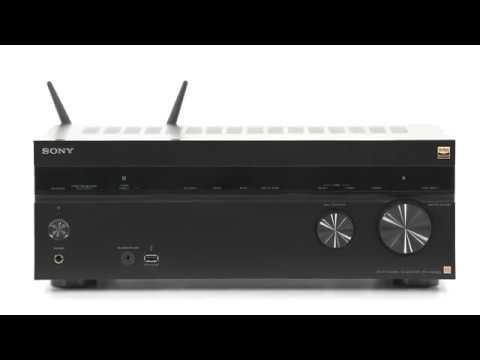
If your receiver displays PROTECT, PROTECTOR, or PUSH POWER, it has entered protection mode to help prevent damage to the device.
This is usually caused by one of the following:
- Speaker wiring issues or a short circuit
- Overheating due to poor ventilation
- Speakers with an unsupported impedance
- A recent power surge or power outage
Follow the steps below to check and resolve the issue.
Tutorial:
Learn how to turn captions on or off when watching Internet videos from YouTube
Note: If model-specific information is needed to complete any of these steps, refer to the instruction manual supplied with your product.
Important: After completing each step, turn the receiver back on and check whether the issue is resolved before moving to the next step.
-
Reset the receiver
If there was a recent power surge or outage, the protection circuit may have been triggered.
- Unplug the AC power cord from the wall outlet.
- Wait at least 30 minutes.
- Plug the receiver back in and turn it on again.
-
Check ventilation
Overheating can trigger protection mode.
- Make sure there is enough space around the receiver for proper airflow.
- Do not place the receiver in a poorly ventilated or enclosed cabinet.
- Remove any objects blocking the top or side ventilation openings.
-
Lower the volume and check speaker impedance
If any connected speaker is outside the supported impedance range shown on the rear panel of the receiver, the receiver may enter protection mode, especially at higher volume levels.
- Lower the volume level.
- Check that all connected speakers are within the recommended impedance range for your receiver.
- Replace any speakers that are outside the supported specifications.
Note: If you are using speakers outside the supported range and have run Auto Calibration, check Speaker Setup and reduce any individual speaker Level setting with a positive gain to 0.0 dB or lower.
-
Check the speakers and speaker wires
-
Turn off the receiver and disconnect all speaker wires from the back of the unit.
-
Turn the receiver back on.
- If the error no longer appears, the issue is likely related to a speaker or speaker wire.
- If the error still appears, turn the receiver off again, let it rest for at least 30 minutes, and then turn it back on.
-
Inspect each speaker wire carefully.
- Check for frayed wire strands.
- Make sure no wire is touching another terminal.
- Correct any loose or damaged connections to prevent a short circuit.
-
Check the connected speakers.
- Make sure all speakers are within the recommended impedance range.
- If possible, test with a different set of speakers.
-
If the issue is still not resolved
If the receiver still displays PROTECT or PROTECTOR after completing all steps above, service may be required.
Protection mode is designed to help prevent permanent damage to the receiver.
Register your product
Get access to all information, keep your product up to date and enjoy great deals
Sony Community
Visit our Community and share your experiences and solutions with other Sony customers
Contact support
Contact your Sony Support team
Repair, Warranty & Spare Parts
Book, track or maybe even avoid a repair
Support by Sony (Mobile App)
Never miss an update again! Find information and receive instant notifications about your product

