
Going Live: Xperia PRO
Philip Bloom
My name is Philip Bloom and I’m a filmmaker. I’ve been shooting video professionally for 31 years; the first 17 I spent working in TV news, but now as a freelance director of photography I work on all sorts of different types of projects, but mostly I focus on shooting documentaries.
Working in my field I am often out filming on my own, and so all the kit that I take with me has to have a purpose, and it has to be portable. I carry as little kit as I can get away with, but I will always have the essentials, which are my camera, tripod, lenses, filters and a monitor.
A monitor allows me to view the footage I am recording in much more detail than the screen on my camera. This means that I can check the focusing, compose my shots with more precision and make sure that the image is exactly as I want it.
These days we all carry a bright, high-resolution screen in our pockets in the form a smartphone. Ever since smartphones came out, I’ve always wanted to be able to plug one into my camera and use it as a monitor; it is something that seems such as obvious thing to do. Now, finally with the new Sony Xperia PRO I can actually do that, I can use my smartphone as a monitor for my camera.
This is made possible thanks to the Xperia PRO having an HDMI input *. This allows me to take Live View image from my camera’s HDMI port and send it into the smartphone, where it displays the Live View just as any other video monitor would.
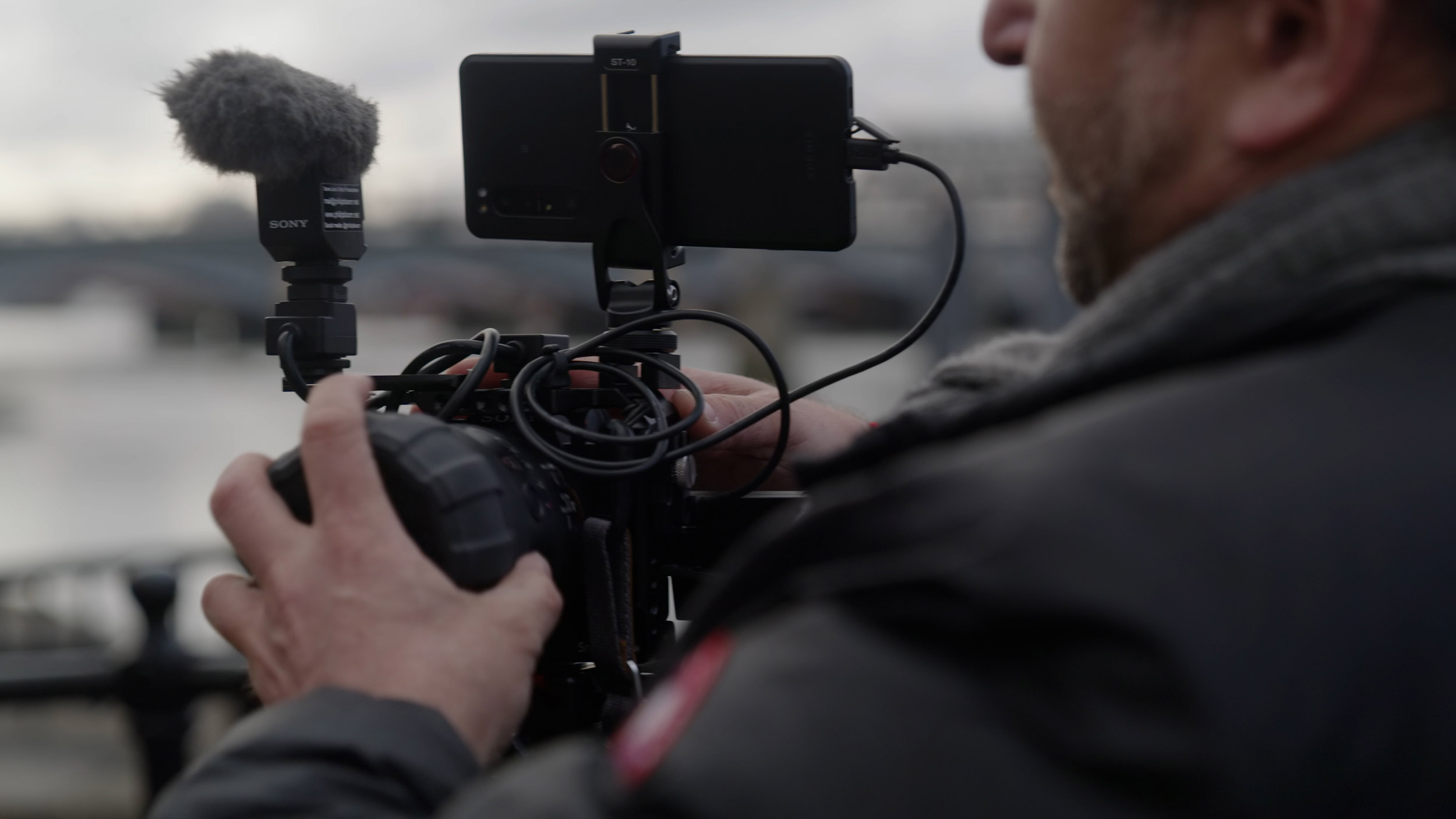
The advantage to the Xperia PRO is simple - its size and weight. Every other monitor that I’ve used, is bigger, thicker, heavier and requires external batteries. With the Xperia PRO weighing just 225g, often the batteries for traditional monitors can weigh more on their own! Having something that is so light and so small, makes a huge difference when you’re filming. And of course, it’s not an extra piece of kit, because it’s a mobile phone that you would always have on you anyway!
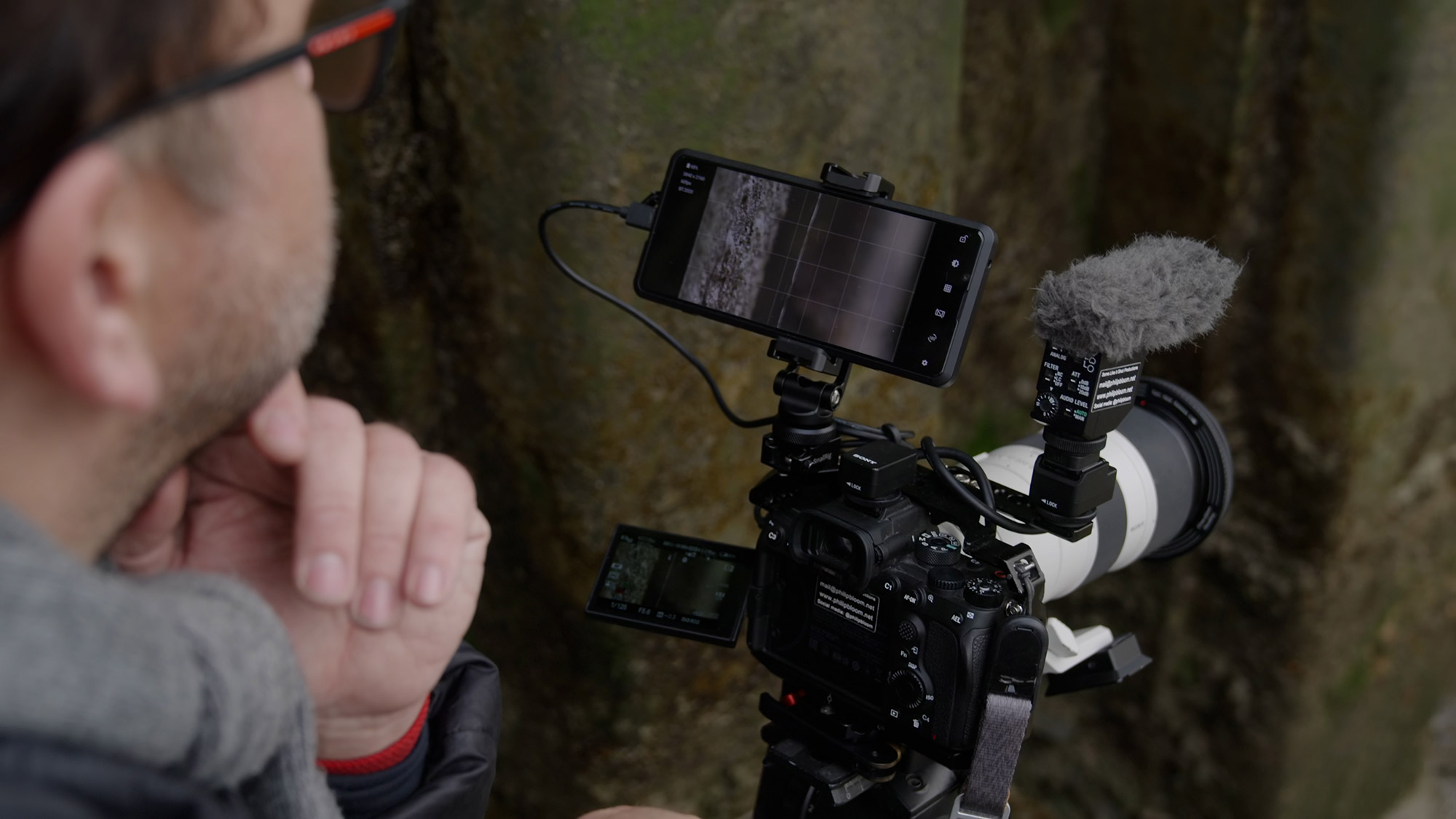
But the Xperia PRO has another trick up its sleeve. With its 5G modem** it is possible to broadcast live to internet streaming services,*** such as YouTube, using a professional video camera, like I have been recently with my Sony Alpha 7S III.
This kind of technology is something we could have only dreamed of a decade ago. When I worked in TV news, going live was quite complicated, and you’d have to have either a satellite truck, or a plug-in point, and then people started using mobile phone cameras to go live. But it is always very obvious when someone is broadcasting live via a smartphone - the image quality is never there, with a poor dynamic range, lots of image compression and sometimes low frame rates or buffering.
For people used to doing lives in their studios and offices, to be able to take the set up and just be able to go anywhere they want, and get that professional recording quality, is really revolutionary.
The PRO moniker is more than just a naming convention, it really is a professional tool. As well as the size and weight, the Xperia PRO is water resistant **** and uses Corning Gorilla Glass 6, making it tough for the rigours of regular use. It has a triple lens camera system, with 16mm, 24mm and 70mm Zeiss lenses and a shooting rate of up to 20fps with AF, for when you want to use it for still images. For video there is the Cinematography Pro app, which is powered by Sony’s CineAlta colour science, which means I can shoot short 4K video clips when I need something quick and simple.
For me, the Xperia PRO is much more than a phone. Because of the quality of the screen, and that ability to go live, it is a professional video tool, that you’re actually going to use for years.
- * Xperia PRO features a dedicated Type D Micro HDMI input port.
- ** 5G network and availability may vary depending on country, carrier and user environment.
- *** Third party terms and conditions may apply.
- **** This device is water resistant and protected against dust. All ports and attached covers should be firmly closed. Do not put the device completely underwater or expose it to seawater, salt water, chlorinated water or liquids such as drinks. Abuse and improper use of device will invalidate warranty. The device has been tested under Ingress Protection rating IP65/68. Sony devices that are tested for their water resistant abilities are placed gently inside a container filled with tap water and lowered to a depth of 1.5 metres. After 30 minutes in the container, the device is gently taken out and its functions and features are tested. Note this model has a capless USB port to connect and charge. The USB port needs to be completely dry before charging.


